



MENU

Gradebook ADD-ON

Complete grading capabilities and report cards.

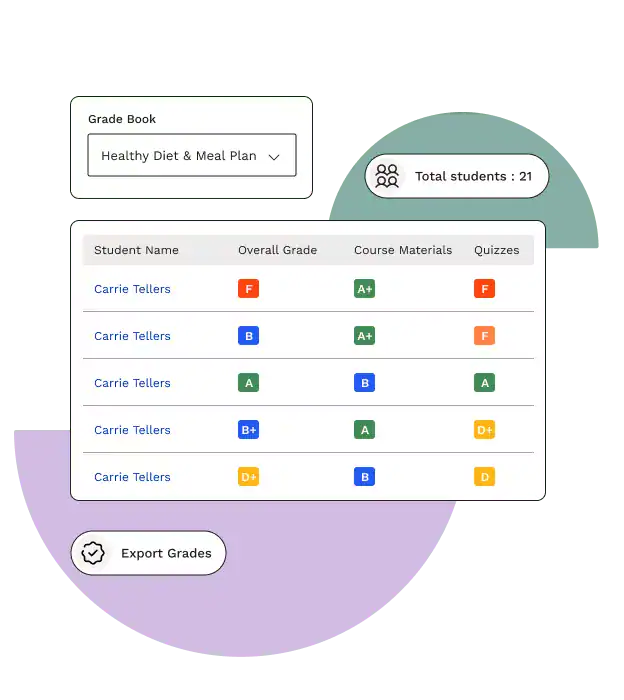
Easily customize, track, and share scores with Gradebook. Explore student progression and scores in simple, flexible grade book tables, and share individual scores and progress with students and their parents.

What you get

Front-end gradebook

Enhance course management by allowing teachers and group leaders to easily display and interact with student data.

Gutenberg blocks

Streamline content creation with blocks for the instructor gradebook and student report card.

Front-end report cards

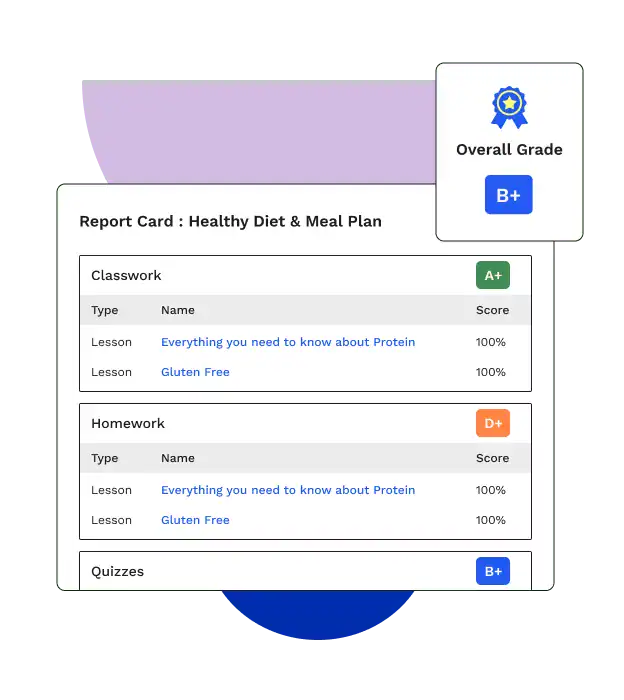
Improve learner communication and present quiz scores, lesson results, and course grades right where you want your students to see them with interactive report cards.

Manual grade entry and tailoring

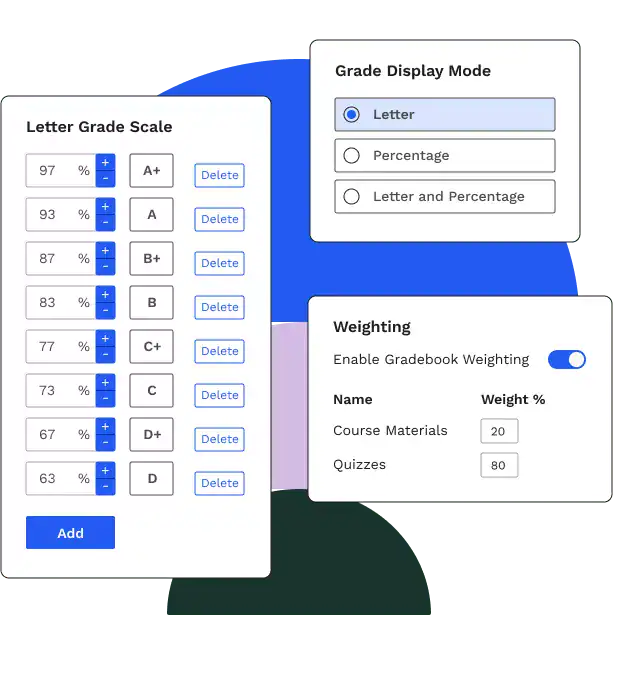
You control how grades are displayed by choosing between a percentage or a letter. You can also add weighted grading as needed.
PROGRESS INFORMATION AT YOUR STUDENTS’ FINGERTIPS

Everything you need to keep coursework on track

Take in the big picture or click into individual student progress reports.

Tools to track learner progress

Gradebook works out of the box with LearnDash Groups and provides a familiar way for course leaders to visualize progress and understand how students develop.

Enhance student communication

Grow your program with report cards, a reporting toolset for sharing course progress with students and their families.

Customize grade output

With Gradebook, you can add manual grades, change graded assignments, and mark lessons, topics, and quizzes incomplete. You can also override the calculated component grades.
Learn More

Get to know Groups Management

Learn why Groups Management is the best way to manage and sell your courses.
LearnDash integrates with

FAQ: Frequently Asked Questions

For more answers, Our onmi Channel Support Team Awaits You

Groups Management is the ultimate add-on for managing everything groups related. It contains all of the groups features and capabilities LearnDash offers – all in one.
Groups Management contains all of the capabilities offered in both Groups Plus and Group Registration, allowing you to best manage your groups with one add-on.
Yes, simply go to Groups Plus → Settings, scroll down to Upgrade LearnDash Groups to Organizations. Check the box for Convert LearnDash Groups to Organizations and click ‘Convert’.
Yes! You can create public Organizations (which can be sold on your site to your customers), or create private Organizations and sell/provide directly to a specific customer.
The customer can not only purchase and create their own Organization on the front end, they can also create Teams and assign Team Leaders, create and enroll Team members (users), view detailed reporting, grade assignments and essays, purchase additional seats, and communicate directly with the Team Leaders or Team members. And all of this can be done on the front end so customers will no longer need access on the back end of your site.
Yes, you would need the WooCommerce/Easy Digital Downloads plugin along with the LD-WooCommerce/LD- Easy Digital Downloads integration plugin to use the WISDM Group Registration plugin.
To find the option, you would need to mark the Product type as “Simple” and not “Course”
Currently, the Groups Registration add-on is not compatible with the WooCommerce Memberships plugin or any other membership plugin.
Learndash Demo

See LearnDash in action.

Days :
Hours :
Minutes

— Welcome to the World's New Age Community —

Believe

IN YOUR ROOTS