



MENU

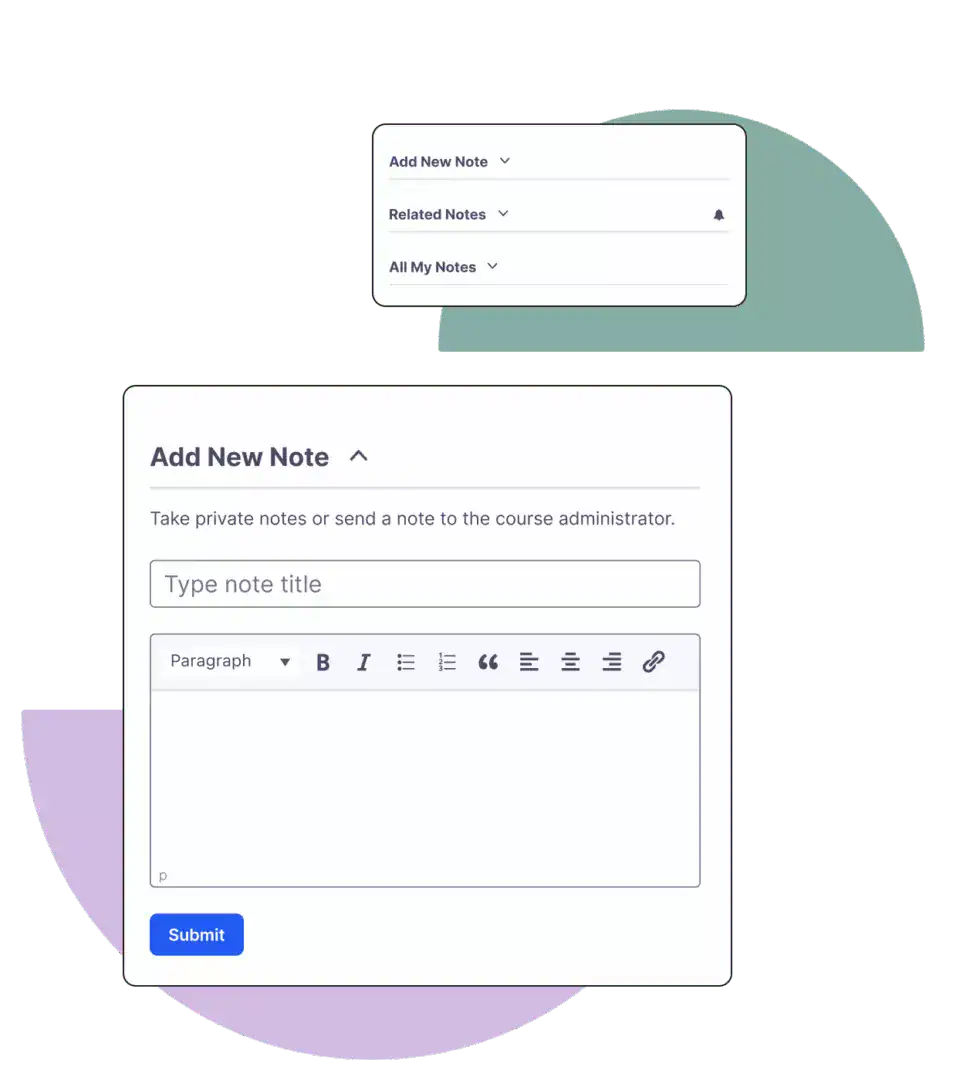
Notes ADD-ON

Easy note-taking and two-way communication tools

The Notes add-on makes note-taking simple and opens up instructor communication during the student’s study time.

What you get

Flexible front-end implementation

Improve outcomes by placing note-taking and communication tools directly inside LearnDash courses.

Dependable, secure infrastructure

Built to work with LearnDash, Notes quickly provides safe, secure educational and communication enhancements.

Streamlined communication

Increase the interaction between student and instructor with asynchronous and simple tools including pop-ups, dashboard tools, and email.

Personalized learning

Learners can use notes to highlight important information, summarize key points, and jot down questions.
Personalized Learning

Show your students that you care about their outcomes

Answer learners’ questions and open the lines of communication.

Improve retention and comprehension

By taking notes and asking questions while studying, students are able to deepen their understanding of the curriculum.

Enhance student communication

Show your commitment to your students’ success by engaging with them where they are. Answer questions and provide the feedback your students need.

Tailor your implementation

The Notes add-on is flexible, and administrators have control. Prominent notifications and customizable emails take your LMS to a professional level.

Learn More

Get to know ProPanel

Learn why tracking advanced metrics is the secret to your course’s success.

LearnDash integrates with

FAQ: Frequently Asked Questions

For more answers, Our onmi Channel Support Team Awaits You

You can add notes to any post or page on your site. It’s not restricted to just LearnDash courses.
Yes! Notes are saved and viewable to your users. Use the two shortcodes provided to show the user’s notes on each individual lesson/topic or to show their full note history.
Yes. As the site admin, you will see all users notes. Group leaders will only see users notes who are within their group.
Yes! They can download their notes and print as needed.
Yes. At any time, you can respond to a user’s note. You will need to ensure the email template is configured correctly within the settings for this to work. You can also use the Instructor Notification feature within a group so a user can notify a group leader directly with their note.
try learndash

Turn your passion and expertise into revenue.

Days :
Hours :
Minutes

— Welcome to the World's New Age Community —

Believe

IN YOUR ROOTS